
Nintendo Switch Sports Resort controls: Joy-Con 2 Basics, Mouse Mode and Sport Motions
✓ Last verified 2026-10-21 · How we check facts
Quick answer
Nintendo Switch Sports Resort uses Joy-Con 2 controllers, including Joy-Con 2 Mouse mode for skateboarding, and needs one compatible controller per player. Pro Controller support has not been announced, according to Nintendo's US and UK pages.
Nintendo Switch Sports Resort controls are built around the Joy-Con 2, and each sport asks you to move the controller in its own way. Nintendo Switch Sports Resort controls include Joy-Con 2 Mouse mode, which the skateboarding sport uses. The game releases on October 22, 2026, exclusively for Nintendo Switch 2, so this guide sticks to what Nintendo and pre-launch reviewers say about the controls. Official details are on Nintendo's US store page.
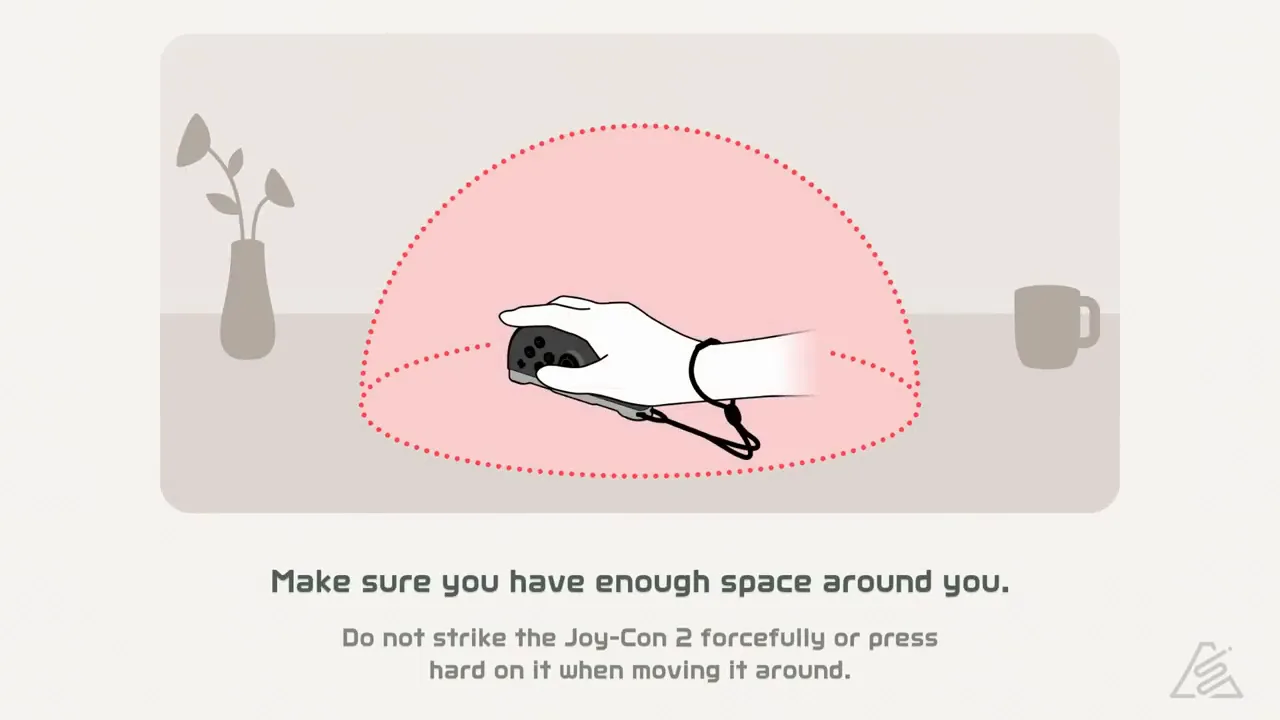 Image: Nintendo.
If you are new to the series, try one sport at a time and use the table below as a quick reference. Each sport has its own motions, so learning them one at a time keeps the table manageable.
Nintendo Switch Sports Resort controls at a Glance
Nintendo's pages list Joy-Con 2 controllers, including Joy-Con 2 Mouse mode. Multiplayer requires one compatible controller per player, and additional controllers sold separately may be required. Nintendo also advises wrist straps and enough room to play. The game supports TV mode and Tabletop mode, and handheld mode is not listed on the pages checked.
On the pages checked, Joy-Con 2 is the only controller listed for the game. The pages do not mention other controller types, so Joy-Con 2 is the starting point for any setup check.
Sport-by-Sport Controller Basics
| Sport | Controller use | Basis |
|---|---|---|
| Tennis | Any Joy-Con works as the racket | Nintendo |
| Bowling | Twist the controller to add spin | Nintendo |
| Archery | Draw, aim and shoot, and wind can affect the shot | Nintendo |
| Skateboarding | Joy-Con 2 works as a mouse | Nintendo |
| Power Cruising | Steer with a pair of Joy-Con, and twist for a boost | Nintendo |
| Prop Plane | Tilt to speed up and roll, and fire at balloons | Nintendo |
| Thumb Wrestling | Pin the opponent's thumb for three seconds | Nintendo |
| Boxing | One controller per hand for punches and guarding | Previews |
The checked pages give no controller details for Table Tennis, Volleyball or Basketball. For Golf, Nintendo advises aiming for the distant hole and checking the ball's trajectory. For deeper detail on three sports, see the mouse controls guide, the archery wind guide and the bowling spin guide.
Multiplayer and Extra Controllers
Each player needs one compatible controller. One review notes that skateboarding with two or more friends needs additional Joy-Con 2 controllers. The same review says local co-op cannot be played in tabletop mode, so plan local sessions for TV mode.
| Setup | Controllers needed | Basis |
|---|---|---|
| One player | One Joy-Con 2 | Nintendo pages |
| Two or more players | One compatible controller per player | Nintendo pages |
| Skateboarding with friends | Additional Joy-Con 2 controllers | One review |
Before a first session, check the basics: one Joy-Con 2 for each player, room to swing, a wrist strap for each player and the display mode you plan to use. Local co-op is covered in the multiplayer section above.
Tips for Learning Nintendo Switch Sports Resort controls
- One reviewer found regular tennis easier to pick up than table tennis, so start with tennis if you want an easier first match.
- Table tennis is harder to master than tennis, according to two reviews, and reviewers say it can cause arm soreness.
- In boxing, the stamina gauge sits under the health gauge, and punches become less effective when it runs out.
- One review says Joy-Con 2 motion tracking occasionally falters with ducks, hooks and jabs in boxing.
Pro Controller, Handheld Mode and Motion Tracking
Nintendo's US and UK pages do not mention Pro Controller support, so Pro Controller support has not been announced. Handheld mode is also absent from the pages checked, so the display modes Nintendo lists are TV mode and Tabletop mode.
| Topic | Current status | Basis |
|---|---|---|
| Pro Controller | Support has not been announced | Nintendo pages |
| Handheld mode | Not listed | Nintendo pages |
| Motion tracking | Occasional faltering in boxing | One review build |
Frequently Asked Questions
Q: What controllers do Nintendo Switch Sports Resort controls need?
The Nintendo Switch Sports Resort controls use Joy-Con 2 controllers, including Mouse mode. Each player needs one compatible controller, and extra Joy-Con 2 may be required.
Q: Can I use a Pro Controller?
Pro Controller support has not been announced. Nintendo's pages do not mention it, so plan around Joy-Con 2.
Q: Can I play in handheld mode?
Handheld mode is not listed on the pages checked. Nintendo lists TV mode and Tabletop mode.
Q: Do I need extra controllers for co-op?
Each player needs one compatible controller. One review says skateboarding with two or more friends needs additional Joy-Con 2 controllers.
Q: Is Mouse mode used in any sport besides skateboarding?
The sources checked link Joy-Con 2 Mouse mode to skateboarding and name no other sport for it. The mouse controls guide covers that sport in detail.
Continue exploring
Guide →
Nintendo Switch Sports Resort Beginner Guide: Setup, 12 Sports and Where to Start
New to Nintendo Switch Sports Resort? Read the setup needs, the 12 sports, the main modes and where to start before the October 22, 2026 release.
Sports →
Nintendo Switch Sports Resort Sports: The 12 Sports and Where to Learn Each One
Nintendo Switch Sports Resort sports: the 12 included sports, offline and online player counts, the leisure sports, and the sports missing from this game.
Multiplayer →
Nintendo Switch Sports Resort multiplayer: local, online and Pro League play explained
Nintendo Switch Sports Resort multiplayer explained: local play for up to four, online membership rules, Friend Lobby, Pro League and player counts.
Related Guides
Up next →
Nintendo Switch Sports Resort mouse controls: How Joy-Con 2 Mouse Mode Works in Skateboarding
Nintendo Switch Sports Resort mouse controls explained: Joy-Con 2 Mouse mode in skateboarding, pushing, flicking tricks and multiplayer controller needs.
Archery Wind Guide
Nintendo Switch Sports Resort archery wind explained: how wind direction changes between shots, how Joy-Con 2 aiming works and the archery mode options.
Bowling Spin Guide
Nintendo Switch Sports Resort bowling spin explained: how twisting the Joy-Con 2 adds curve, why holding the controller matters and bowling player counts.